Typing Speed Test: What Is a Good WPM Score & How to Type Faster
Get the short answer first, then use the benchmarks, examples, and BrainRivals practice links to turn the idea into a measurable result.
Quick Answer
This guide turns an abstract idea about mental performance into something you can notice, measure, and improve. The fastest way to use it is to read the benchmark first, compare it with your own context, then run a related BrainRivals test under the same conditions for a cleaner before-and-after signal.
Key takeaways
- Start with the practical benchmark, not the trivia.
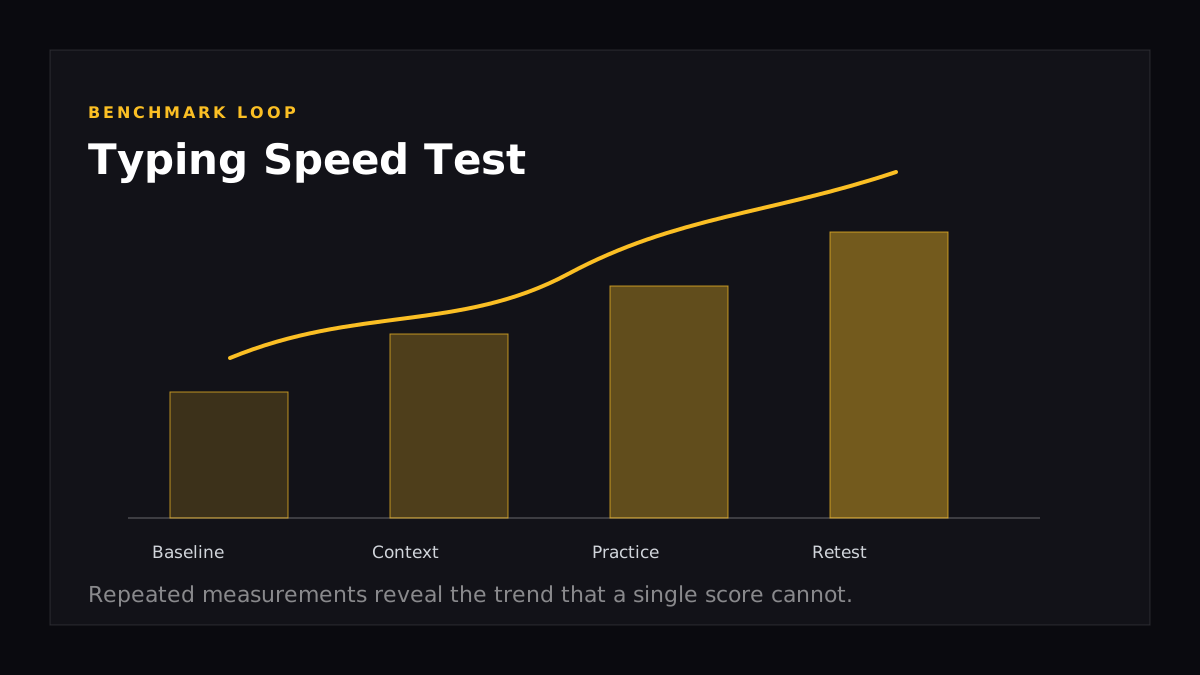
- Treat one score as a snapshot and repeated scores as the real signal.
- Use the Typing Speed as the next measurable step.
How to Use This Guide
Use the article in three passes: scan the quick answer, check the tables or examples that match your situation, then pick one action to test this week. That keeps the article useful even if you only have a few minutes, while still giving you enough detail to come back for deeper context.
What Is the Typing Speed Test?
The typing speed test measures how many words you can accurately type per minute (WPM). On BrainRivals, a passage of common English words is displayed and you type it as quickly and accurately as possible within 60 seconds. Errors are penalised — your final WPM score reflects both speed and accuracy combined.
Typing speed is one of the most practical cognitive-motor skills you can measure. Unlike pure cognitive tests, WPM directly translates into real-world productivity: every email, document, code file, and message is affected by how fast and accurately you can type.
How Is WPM Calculated?
The standard formula used across all typing tests (including BrainRivals) is:
WPM = (Characters typed ÷ 5) ÷ Minutes elapsed
A "word" is standardised as 5 characters (including spaces) to ensure fair comparison regardless of actual word length. This means typing "elephant" counts as 1.6 words, while "I" counts as 0.4 words.
Gross WPM counts all keystrokes. Net WPM — which BrainRivals uses — subtracts errors:
Net WPM = Gross WPM − (Errors ÷ Minutes)
This is why accuracy matters as much as speed. A sloppy typist who types 80 gross WPM but makes 15 errors per minute ends up with a net WPM of only 65 — and in real work contexts, errors require additional time to correct, making the actual productivity impact even worse.
What Is a Good Typing Speed?
| Performance Level | WPM | BrainRivals Tier |
|---|---|---|
| Elite | 100+ WPM | 🔴 Elite |
| Above average | 75–99 WPM | 💎 Diamond |
| Average | 50–74 WPM | 🥇 Gold |
| Below average | 30–49 WPM | 🥈 Silver |
| Beginner | < 30 WPM | 🥉 Bronze |
The global BrainRivals average is around 52 WPM, which aligns closely with research estimates for general adult typing speed. The key benchmark to aim for is 60 WPM — at this speed, typing stops feeling like a bottleneck and your thoughts can flow more freely onto the page.
Typing Speed by Profession
Different professions have different average typing speeds, reflecting the amount of daily typing their work involves:
| Profession | Average WPM |
|---|---|
| Professional typist / secretary | 65–75 WPM |
| Programmer / software developer | 40–60 WPM |
| Journalist / writer | 60–80 WPM |
| Data entry specialist | 60–80 WPM |
| Customer support agent | 45–65 WPM |
| General office worker | 38–45 WPM |
| Casual user | 30–40 WPM |
Top competitive typists — those who participate in events on platforms like TypeRacer and Monkeytype — regularly exceed 150 WPM, with world-record holders approaching 300 WPM for short bursts.
Touch Typing vs. Hunt-and-Peck
The single most important determinant of your long-term typing ceiling is your technique:
Touch typing
Using all 10 fingers from fixed home-row positions (left hand: ASDF, right hand: JKL;), without looking at the keyboard. Each finger is responsible for a specific set of keys. With muscle memory fully developed, touch typists can reach 80–120+ WPM.
Hunt-and-peck
Using 2–4 fingers, looking at the keyboard to find each key. Most untrained typists start here. The ceiling for hunt-and-peck is approximately 40–60 WPM — above which the visual search time for each key becomes the bottleneck.
The transition cost
Switching from hunt-and-peck to touch typing causes a temporary performance drop of 30–50% as you unlearn old habits. This lasts 2–6 weeks. The long-term ceiling increase is worth the short-term pain — virtually every professional typist who has made the switch agrees.
The Role of Muscle Memory in Typing
Fast typing is fundamentally a motor skill, not a cognitive one. Once words and common letter combinations are sufficiently practised, they are executed as pre-programmed motor sequences by the cerebellum and motor cortex — without conscious letter-by-letter processing.
This is why experienced typists can hold a conversation while typing, or type a familiar word without being able to identify which fingers hit which keys. The skill is procedural, not declarative — stored as automatic motor programmes rather than conscious knowledge.
The practical implication: accuracy in practice matters enormously. Practising with frequent errors reinforces incorrect motor patterns. Deliberately slowing down to type accurately is more effective for long-term improvement than rushing and making many mistakes.
Typing Speed and Cognitive Load
Beyond mechanical speed, typing involves several cognitive processes:
Reading ahead: Skilled typists read 1–2 words ahead of where they're currently typing, giving the motor system time to prepare. This buffering reduces hesitation between words.
Error monitoring: The brain continuously monitors for discrepancies between intended and actual keystrokes. Fast error detection (and correction) is a key skill at high WPM levels.
Phonological encoding: Many typists silently subvocalise as they type, using the phonological loop to buffer upcoming words. This parallels the reading-ahead strategy and reduces cognitive load on the motor system.
Visual attention management: At high speeds, frequent glances between text and screen become rate-limiting. Touch typists eliminate keyboard glances; advanced typists minimise screen glances by reading ahead.
Average Typing Speed by Age
Typing speed reflects both technique and years of keyboard experience:
| Age Group | Average WPM |
|---|---|
| Under 16 | 30–40 WPM |
| 16–24 | 45–60 WPM |
| 25–40 | 50–65 WPM |
| 41–55 | 45–60 WPM |
| 55+ | 35–50 WPM |
Young adults (16–40) tend to have the highest average speeds, reflecting both better motor dexterity and more extensive digital device usage. Older adults show modest declines, though experienced typists maintain speed well into their 60s and 70s.
9 Proven Techniques to Type Faster
1. Learn touch typing (if you haven't already)
This is non-negotiable for serious improvement. Free resources include TypingClub, Keybr, and typing.com. Invest 20–30 minutes per day for 4–8 weeks and you'll build a foundation that pays dividends for life.
2. Prioritise accuracy over speed
Set your target accuracy at 98%+ before pushing speed. Typing with frequent errors is practising mistakes. Use a typing trainer that lets you set a maximum error rate.
3. Fix your posture and hand position
- Sit upright, feet flat on the floor
- Elbows at roughly 90 degrees
- Wrists floating slightly above the keyboard (not resting on the desk during typing)
- Fingers curved naturally over the home row
Poor posture limits speed and causes long-term injury risk (RSI, carpal tunnel).
4. Use proper finger assignments
Each key should always be struck by the same finger. Common mistakes: using the index finger for B (should be left index), using the wrong hand for Y (right index, not left). Proper assignments are essential for muscle memory.
5. Practise common letter combinations (bigrams and trigrams)
The most frequent English bigrams (TH, HE, IN, ER, AN) and trigrams (THE, AND, ING, ION) make up a huge proportion of all text. Drilling these specifically builds the fastest possible motor programmes for the most common patterns.
6. Use the BrainRivals Typing Speed Test as your benchmark
Take the BrainRivals Typing Speed Test weekly to track progress. Consistent measurement against the same test reveals real improvement (or plateau) clearly.
7. Practise with varied content
Don't only practise on simple word lists. Practise with code, numbers, punctuation-heavy text, and long-form prose. Varied practice builds more robust and adaptable motor patterns.
8. Use a keyboard that suits you
Mechanical keyboards with linear or tactile switches give clearer tactile feedback and faster key return, which many fast typists prefer. However, keyboard choice matters less than technique — don't wait for the "right" keyboard to start practising.
9. Short daily sessions beat long weekly ones
20 minutes of focused typing practice daily produces far better results than a single 2-hour session per week. Motor skills develop through consistent repetition spaced over time.
The 100 WPM Milestone
For many serious typists, 100 WPM is a meaningful milestone — the point at which typing genuinely feels effortless and no longer limits thought-to-text flow. Here's a realistic timeline:
| Starting Speed | Time to 100 WPM (with daily practice) |
|---|---|
| < 30 WPM (hunt-and-peck) | 6–12 months |
| 30–50 WPM (basic touch typing) | 3–6 months |
| 50–70 WPM (developing touch typer) | 1–3 months |
| 70–90 WPM (competent touch typer) | 4–8 weeks |
These timelines assume 20–30 minutes of deliberate daily practice focused on accuracy. Pure gaming or casual typing adds speed slowly but doesn't optimise technique the way structured practice does.
Try It on BrainRivals
Reading about the concept is useful, but a repeatable score is more actionable. Run the Typing Speed and Reaction Time tests, save your result, then repeat under similar conditions later. The trend matters more than a single best attempt.
Frequently Asked Questions
What is a good typing speed for a job?
For most office jobs, 40–60 WPM is sufficient. For data entry, transcription, or administrative roles, employers typically expect 60–80 WPM. Journalists and writers benefit from 70+ WPM. Programmers' productivity is less directly tied to raw WPM (since coding involves thinking as much as typing), but 50+ WPM is a useful baseline.
How accurate should typing be?
Professional-standard accuracy is 98–99% (2–1 errors per 100 characters). At 95% accuracy you're making 5 errors per 100 characters — enough to significantly slow down real-world work due to correction time. Prioritise accuracy during practice; speed follows naturally.
Does keyboard type affect typing speed?
Keyboard layout and switch type have a modest effect. Mechanical keyboards with tactile or linear switches allow slightly faster typing for many people due to their precise actuation points. The DVORAK layout is theoretically more efficient than QWERTY, but the learning cost is extremely high and the practical benefit over QWERTY at high speeds is debated.
Can typing speed be improved at any age?
Yes. Motor learning remains possible throughout the adult lifespan, though the rate of acquisition slows somewhat after 40. Adults who switch to touch typing and practise consistently routinely achieve significant WPM gains regardless of age.
How does the BrainRivals typing test compare to Monkeytype or TypeRacer?
The BrainRivals test uses common English words in a 60-second format with error penalty — similar to Monkeytype's standard mode. Scores should be broadly comparable. TypeRacer uses actual book/movie quotes, which introduces punctuation and capitalisation challenges that reduce WPM compared to common-word tests.